Context
- When you purchase a license or renew your maintenance contract, your license details—including your license keys—are sent in a license delivery email.
If you cannot retrieve this email, this section guides you on how to locate your license keys directly within your software environment or through licensing tools.
Use this section when you need to provide or verify your license keys—for example, when contacting Customer Support, updating your licenses, or troubleshooting licensing issues.
- This article applies to floating certificate-based licenses for Amira, Avizo, PerGeos, and ImageDev in version 2020.3 or later.
For earlier versions, refer to article KA-01283 "Locate License Keys for Floating Certificate-Based Licenses Up to Version 2020.2 (Amira, Avizo, PerGeos)."
Description
1. On the End User Machine
On the machine where the software is installed, license information is stored in the Thermo Scientific License Manager (LM).
- Open the Server tab to display the list of licenses installed on the license server.
- Click the license name or the View icon to open the License Information view.

- Locate the license key in the Activation ID field.

2. On the Server Machine
Information can be accessed through one of the following paths:
2.1. Using the Thermo Scientific License Manager for Server (SLM)
Users accessing the application online can find license information in the Order line number column of the License Administration tab.

2.2. Using lmadmin
On the machine where the floating license server is installed, license information is stored in the server license file.
- In FlexNet Publisher, open the Vendor Daemon Configuration tab.
- Note the path displayed in the License File or Directory field.
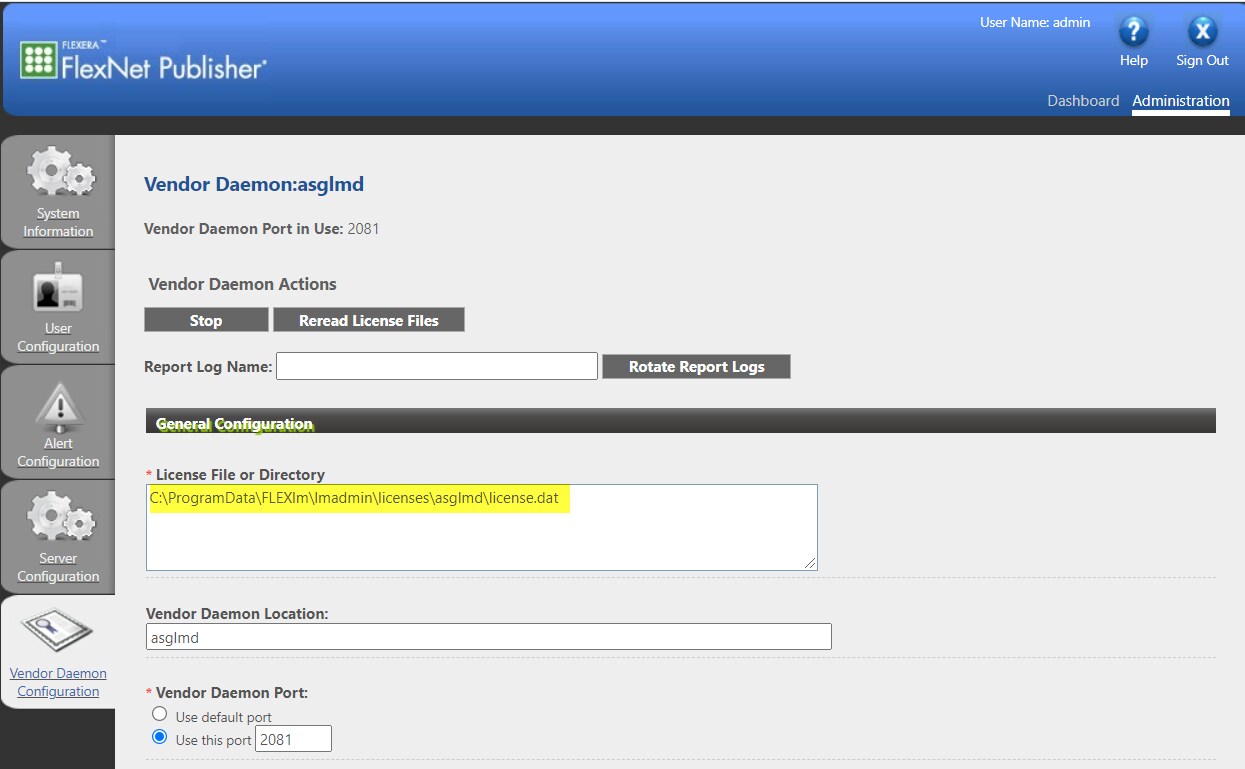
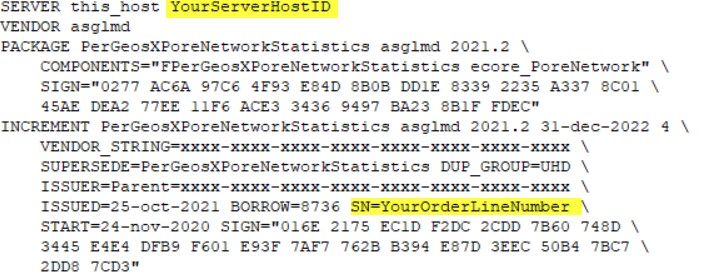
- Navigate to this path and open the license file. The license key (or license number) is the string that follows the SN= keyword.